

A UK proxy is a connection method that routes your traffic through an IP address located in the United Kingdom. Instead of sending requests directly from your own device and IP, you “borrow” an IP that appears to be from London, Manchester, Birmingham, or another UK location.
Think of it like using a local SIM card while traveling – online platforms see you as if you are physically there.
Because location matters more than we admit. Prices, search results, ads, and even basic layout changes can all depend on where the system thinks you are.
Businesses and professionals use UK proxies to perform region-specific tasks such as ad verification, market research for the UK audience, competitor analysis for UK pricing, localized SEO audits, and QA testing for UK versions of websites and apps.

If you manage marketing campaigns that target the UK, you already know how dangerous it is to trust “global” data. You need the UK view of the page – not the global view, not the EU view. That is the core reason UK proxies are valuable.
A UK proxy can also be helpful for people who want consistent geo-location. For example, if you travel a lot but still need your traffic to appear stably from the United Kingdom (for analytics consistency, for account trust, for multi-account segmentation, etc.), using a UK IP solves that problem. Instead of constantly changing location from country to country, you present one clean, reliable UK identity.
So when we talk about “how to get a UK proxy,” we are really talking about how to choose: which IP range, which source of IPs, which level of control, and which provider makes sense for what you’re doing.
Main Types of UK Proxies You Can Get
Before you choose a provider, you should understand what you’re actually buying. “UK proxy” is not just one thing. There are several types, and the differences matter for performance, trust level, and cost.
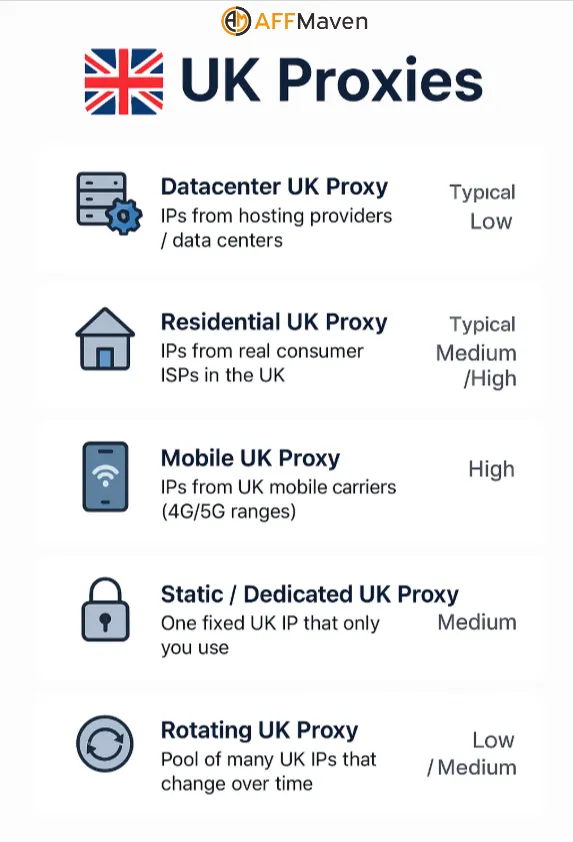
Here’s a simple breakdown.
| Type of UK Proxy | What It Uses for IPs | Best For | Typical Cost Level |
|---|---|---|---|
| Datacenter UK Proxy | IPs from hosting providers / data centers | Bulk requests, scraping public data, automation that needs high speed | Low |
| Residential UK Proxy | IPs from real consumer ISPs in the UK | Localized appearance, brand monitoring, ad checks, QA for UK users | Medium / High |
| Mobile UK Proxy | IPs from UK mobile carriers (4G/5G ranges) | Highest trust level, ultra-real “human-like” behavior, sensitive session tasks | High |
| Static / Dedicated UK Proxy | One fixed UK IP that only you use | Long-term sessions, account management, consistency, avoiding mixed histories | Medium |
| Rotating UK Proxy | Pool of many UK IPs that change over time | Large-scale data collection, parallel testing, avoiding rate limits on volume work | Low / Medium |
Let’s translate that into normal language.
Understanding the difference will save you money. A lot of people “overbuy” residential or mobile IPs for tasks that could easily be done with cheaper datacenter IP ranges.
So the first decision is not “Which provider?” The first decision is “What kind of UK presence do I actually need?”
How to Choose a Reliable UK Proxy Provider
Now that you know which proxy type fits your use case, the next move is choosing a provider. This looks simple, but it’s where most people make mistakes. The cheapest seller is not always the smartest choice, and the most expensive seller is not automatically the most stable.
Use this checklist to evaluate any UK proxy offer:
Below is the Quick List of Red Flags to Avoid:
If a provider checks the boxes above – location control, clean IPs, rotation settings, transparent billing, and a usable dashboard – you’re in safe territory.
Step-by-Step: How to Get a UK Proxy and Start Using It
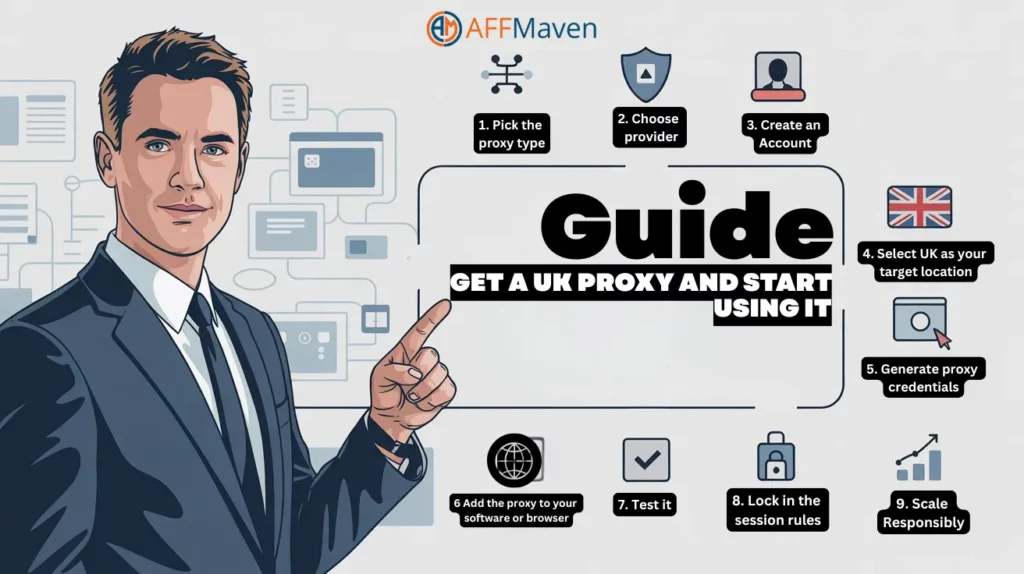
Let’s walk through a simple, realistic flow you can follow to get a UK proxy quickly and set it up.
Pick the proxy type
Decide whether you need datacenter, residential, mobile, static, or rotating UK IPs. Revisit the table above. If you’re not sure, start with a dedicated static UK IP for stability plus (optionally) a small rotating pool for testing.
Choose a trusted provider
Go to a provider that clearly offers UK targeting and lets you generate access instantly. For example, you can explore offers from Proxys.io – they provide access to UK endpoints, city targeting options in many cases, and different pricing models depending on whether you want dedicated or rotating IPs.

Create an account
You’ll typically sign up with an email and password. Most serious providers will ask you to confirm the account and sometimes verify basic billing info. This is normal and helps keep IP quality clean.
Select UK as your target location
Inside the dashboard, you usually have a location selector. Choose “United Kingdom” or a specific UK city/region if that’s supported. This step is important. If you skip it, you might get mixed-region traffic instead of strictly UK traffic.
Generate proxy credentials
The dashboard will give you either:
Host:Port style access (for example, uk.proxyprovider.com:12345)

or user/pass style credentials

or an IP:Port pair like 198.51.100.27:8080
Sometimes you also get a SOCKS5 endpoint. Save these details.Add the proxy to your software or browser
Add the proxy to your software or browser
Almost every browser and most scraping / QA tools let you define a proxy manually. You usually paste:
Address (host or IP)

Port

Username

Password
After that, your connection from that browser tab or tool will appear as “from the UK.”Test it
Open any “what is my IP / location” checker or a UK-focused landing page you manage. Look for currency (GBP instead of USD/EUR), postal code targeting, and language variants. If you’re auditing an ad, confirm that the ad variant you see matches what your UK audience should see.
Lock in the session rules
If you’re doing repeated work (daily logins, account maintenance, business dashboards), you want a stable dedicated UK IP. If you’re collecting lots of publicly available product data, you want rotating UK IPs so you don’t overload one identity.
Scale responsibly
As you grow, avoid sharing one IP with five different teammates for five different purposes. Separate them. One IP per workflow keeps reputations clean and makes troubleshooting easier. If something gets flagged, you instantly know which workflow caused it.
Here’s that flow as a quick action list you can keep:
That’s it. After you’ve done this once, repeating it for new projects becomes very fast.
Best Practices for Working With a UK Proxy Long-Term
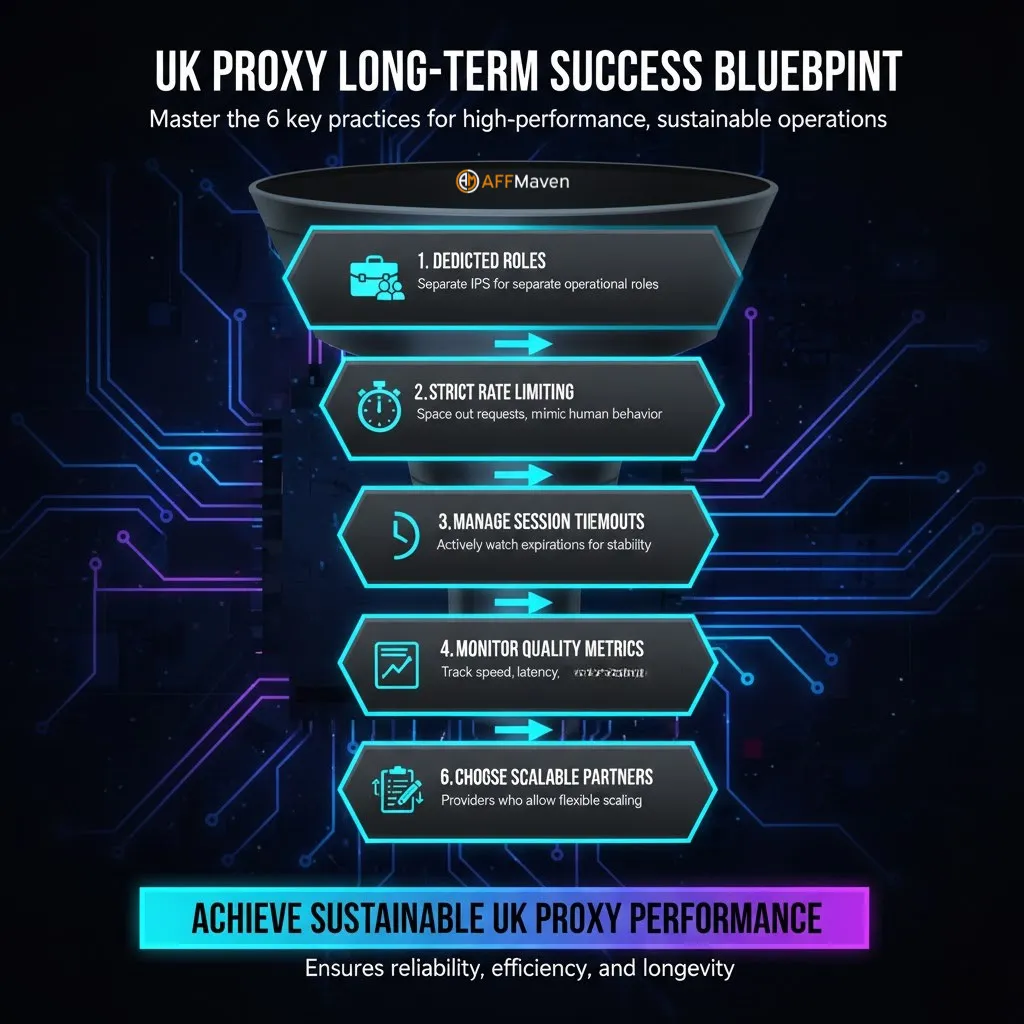
Getting a UK proxy is only step one. Keeping it reliable is step two. If you plan to use UK IPs for serious work – campaign testing, pricing checks, brand monitoring, SEO audits – you want consistency, not drama.
Follow these best practices to stay efficient and avoid headaches:
Use separate IPs for separate roles.
Treat each UK proxy like an employee badge. Marketing traffic uses one or more specific IPs. QA testing uses a different one. Bulk data collection uses rotating pools.
Don’t blend them unless you have a reason. This keeps your data clean and keeps you organized when something looks “off.”
Don’t over-request from the same IP too aggressively.
Even a high-quality IP can trigger anti-automation filters if you hammer it with thousands of non-stop requests in a short time.
If you’re doing volume work, that’s when rotating UK proxies shine. You can spread requests across many fresh IPs instead of overheating one address.
Watch session timeouts.
Some providers allow you to define how long one IP sticks to your connection before rotating.
If you’re doing something that requires a persistent identity – for example, staying logged in to a dashboard – use a long “sticky session.” If you’re doing one-off lookups, short sessions are fine.
Monitor speed and response quality.
Residential and mobile UK IPs usually have slightly higher latency than datacenter IPs, simply because of how routing works through real consumer or carrier networks.
That’s normal. But any huge slowdown or packet loss might signal that the specific IP is overloaded or low quality. Replace it.
Document what each IP is doing.
This sounds boring, but it’s very powerful. Write down which proxy is tied to which business process.
Later, if someone from your team says “the numbers from yesterday look strange for the UK,” you can instantly trace which proxy session generated that view.
Use providers that let you scale, not trap you.
Your first month, maybe you only need one London IP. Three months later, maybe you need a pool of 200 rotating UK IPs feeding an internal dashboard.
Good providers make that upgrade path smooth: you shouldn’t have to migrate your entire setup or beg support to unlock locations.
When you apply these habits, a UK proxy stops being a one-time tool and becomes infrastructure. It’s like your analytics stack or your CRM: stable, clean, repeatable.
Final Thoughts: Getting a UK Proxy Without Wasting Money
Here’s the honest summary. You don’t want “a proxy.” You want the right UK proxy for the exact job you’re doing.
If you only need fast access for technical testing or scraping publicly available data, a UK datacenter proxy is usually enough and much more affordable. If you need to appear exactly like a normal UK household user for ad audits or user-experience checks, then you go with residential UK IPs.
If you’re doing sensitive, trust-heavy sessions where identity quality is critical, mobile UK proxies or clean static dedicated UK proxies are the way to go.
The smartest approach is to:
Once you understand these three ideas, “how to get a UK proxy” stops being a mystery. It becomes a standard part of your workflow – something you spin up, assign to a task, monitor, and scale.
If you’re ready to test UK endpoints, generate credentials, and work with targeted UK IPs, you can explore providers such as Proxys.io and start building a clean, location-accurate UK presence for your marketing, QA, analytics, and research operations.
🚀 Get Exclusive Affiliate Marketing Secrets🚀
Discover the strategies, tools, and tactics used by the top 1% of affiliate earners!

Join 69,572+ Affiliates already leveling up their game
Affiliate Disclosure: This post may contain some affiliate links, which means we may receive a commission if you purchase something that we recommend at no additional cost for you (none whatsoever!)