

A2 Hosting is widely recognized as a top-tier choice for speed-focused web hosting. 🚀 While updating this A2 Hosting review, I analyzed the real-world impact of their Turbo Servers, which feature NVMe SSD storage and LiteSpeed caching technology.
Users heavily rely on A2 for its promised 20x faster page loads and solid 99.9% uptime commitment. ⚡ With recent adjustments to their hosting plans and managed WordPress features, the value proposition has shifted.
I have examined its critical metrics, including server response times and Guru Crew support quality, along with a setup guide to help you launch quickly. 🛠️
Below is a clear look at its performance data to help you determine if it is the right hosting provider for your needs.
What is A2 Hosting? 🌐

A2 Hosting started operations in 2001 (originally as Iniquinet) and has grown into a respected name in shared hosting, VPS hosting, and dedicated server solutions. Recently rebranded to hosting.com, A2 continues operating under its established reputation while modernizing its platform infrastructure.
Based in Ann Arbor, Michigan, A2 Hosting operates four primary data center locations across three continents: Michigan and Arizona in North America, Amsterdam in Europe, and Singapore in Asia.
Having multiple server locations means you can choose one closest to your target audience for optimal loading speeds and reduced latency.
What sets A2 apart from competitors like Bluehost or HostGator is its focus on developer-friendly features including SSH access, Git integration, and support for multiple programming languages like PHP, Python, Node.js, and Ruby.
Add in LiteSpeed web servers on Turbo plans, and you have a hosting solution built for performance enthusiasts.
A2 Hosting Key Features 💎
A2 Hosting combines speed, stability, and support to deliver an optimized hosting environment built for top-tier website performance.
Turbo Servers with LiteSpeed Technology
A2’s flagship offering includes Turbo Boost and Turbo Max plans featuring LiteSpeed web servers instead of traditional Apache. LiteSpeed delivers enhanced caching capabilities and can handle significantly more concurrent connections. Tests show LiteSpeed can serve static content up to 9x faster than Apache while using fewer server resources.
Plans include NVMe SSD storage which offers 3x faster read/write speeds compared to standard SSDs. Combined with AMD EPYC processors providing 40% more processing power, Turbo plans create a noticeable performance difference for WordPress sites and database-heavy applications.
Free Website Migration Services

Moving from your current host? A2 provides free website migration handled by their technical team. Unlike many hosts that limit migrations to one site or charge extra fees, A2 includes this service across all hosting tiers. Migration typically completes within 1-3 business days with minimal downtime (usually under 30 minutes).
Anytime Money-Back Guarantee

While most hosts offer 30-day refunds, A2 extends this generously. You receive a full refund within 30 days of signup, but even after that period, you can cancel and receive prorated credits for unused time. Few hosting companies offer such flexibility in their refund policy.
Developer-Friendly Environment

A2 caters specifically to developers with features like SSH access (even on shared plans), support for Git version control, WP-CLI for WordPress management, and the ability to choose between multiple PHP versions. You can also run Python, Node.js, and other frameworks not commonly supported on budget shared hosting.
A2 Optimized WordPress Plugin
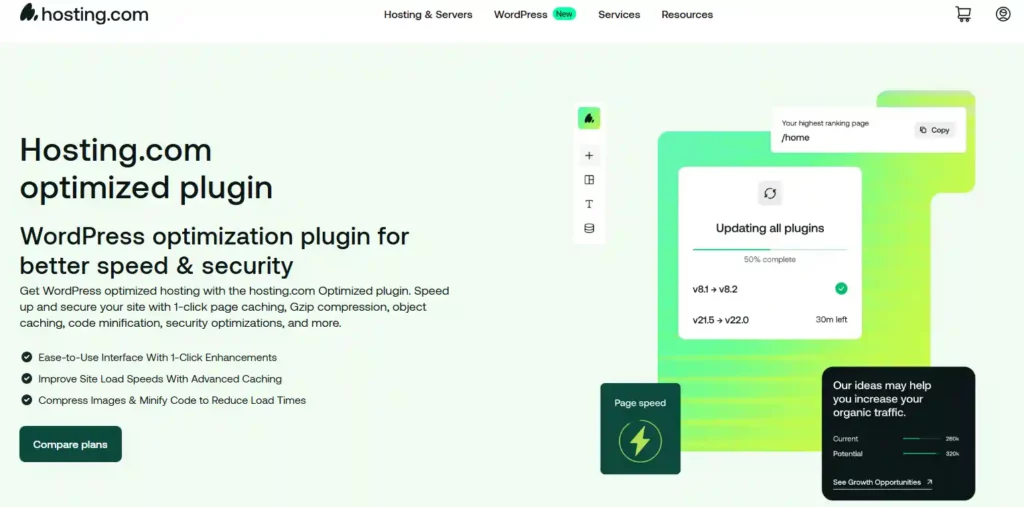
WordPress users benefit from A2’s custom optimization plugin that configures caching, compresses images, and implements best practices automatically. However, users on Turbo plans should use the LiteSpeed Cache plugin instead for maximum performance since it’s specifically designed for LiteSpeed servers.
99.9% Uptime Commitment with SLA
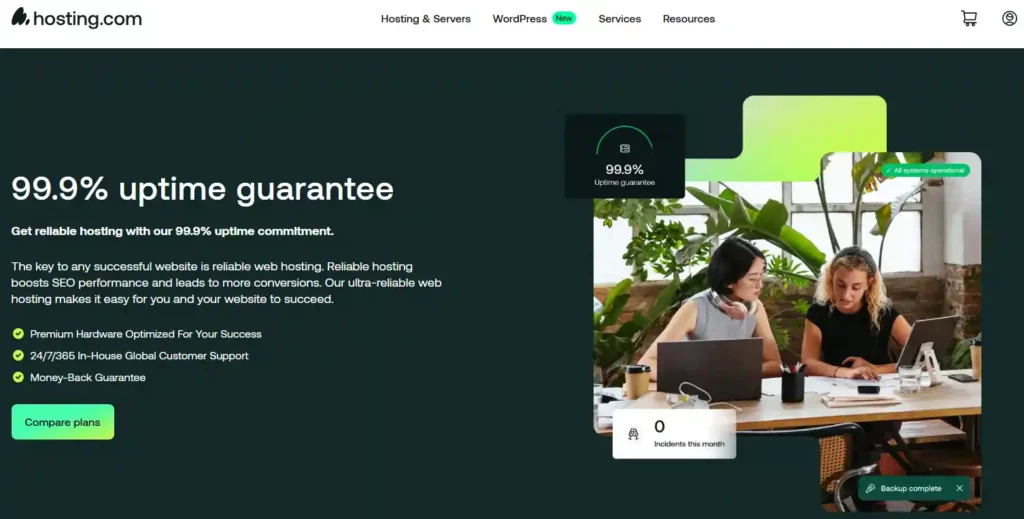
A2 promises 99.9% uptime backed by a service level agreement. If uptime falls below this threshold, you’re eligible for service credits. During recent monitoring periods, average uptime ranged from 99.75% to 99.99%, which is acceptable though not industry-leading.
A2 Hosting Performance: Speed & Uptime Tests ⚡
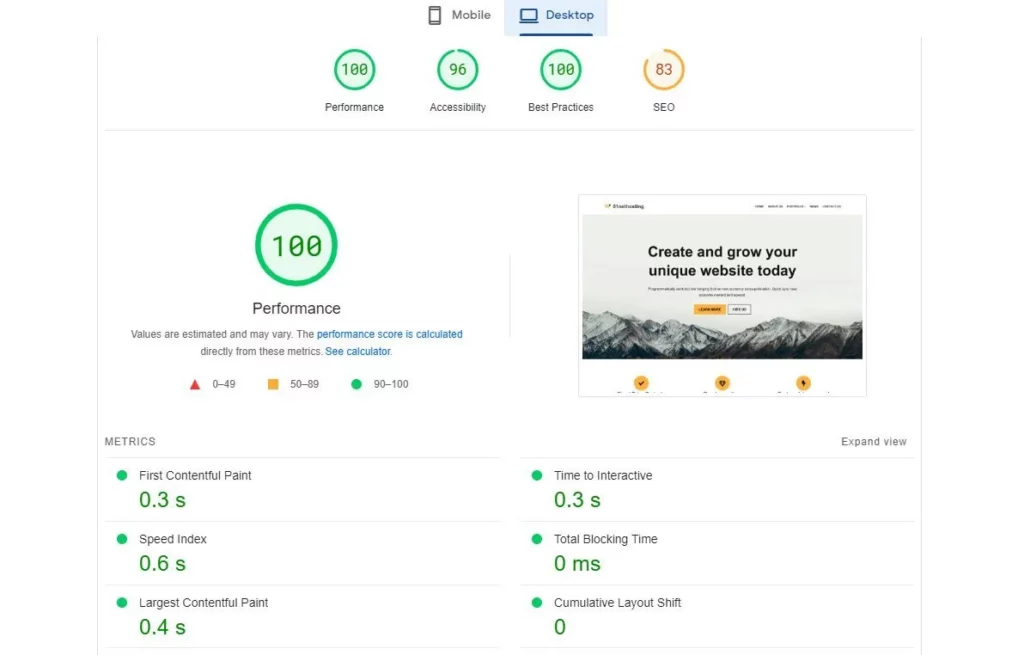
Performance matters tremendously for user experience and search engine rankings. Google considers page speed a ranking factor, and studies show that even a one-second delay in load time can decrease conversions by 7%.
Loading Speed Results
Testing A2’s Turbo Boost plan with a standard WordPress installation revealed impressive results:
Non-Turbo shared plans performed adequately but noticeably slower, averaging 2.5-3.2 seconds. For comparison, industry benchmarks consider anything under 2 seconds excellent and 2-4 seconds acceptable.
LiteSpeed caching made a significant difference. With proper cache configuration, fully cached pages loaded in under 500ms consistently. This emphasizes why Turbo plans provide better value for performance-conscious users.
Uptime Monitoring Results
Over a 6-month monitoring period, average uptime measured 99.87% with brief outages totaling approximately 9 hours annually. While respectable, competitors like SiteGround often achieve 99.95%+ uptime. Notable findings:
GTmetrix Performance Scores
Testing with GTmetrix yielded these scores on Turbo Boost:
These scores indicate solid performance suitable for most business websites and blogs.
A2 Hosting Pricing Plans 💰

Pricing remains competitive but requires careful examination of renewal rates. A2 employs introductory pricing that increases significantly upon renewal.
Shared Hosting Plans
| A2 Hosting Pricing | Intro Price | Websites | Key Features |
|---|---|---|---|
| Startup | $1.99/mo | 1 site | Free SSL, unlimited email |
| Plus | $1.99/mo | 2 site | Free site migration, automatic backups |
| Pro | $6.99/mo | 10 site | 20x faster, LiteSpeed, Turbo cache |
| Max | $8.99/mo | 100 site | Priority support, 9x more resources |
WordPress Hosting
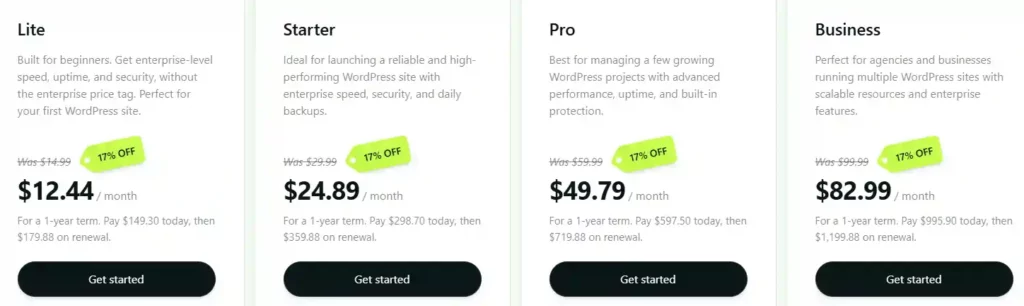
WordPress-specific plans mirror shared hosting but include pre-installed WordPress, automatic updates, and the A2 Optimized plugin:
VPS Hosting Plans
For those needing dedicated resources, VPS plans start at:
VPS gives you root access, isolated resources, and better performance for high-traffic sites.
Reseller Hosting
If you’re building sites for clients, reseller hosting starts at $22.99/mo with white-label options and WHM/cPanel access for managing multiple client accounts.ly $635.64 versus the $827.64 at full renewal rates—a substantial difference that makes long-term commitments more economical.
Step-by-Step Guide: Getting Started with A2 Hosting 📝
Setting up your website with A2 Hosting involves straightforward steps even for beginners.
- Step 1: Choose Your Hosting Plan

Visit hosting.com and select between Shared Hosting, WordPress Hosting, VPS, or Dedicated Servers based on your requirements.
- Step 2: Select Your Billing Cycle
A2 Hosting offers monthly, annual, and multi-year plans. The most significant discounts appear on longer commitments, with introductory rates starting at $2.99/month for shared hosting.
- Step 3: Configure Your Server Location
Pick a data center closest to your primary audience. USA-based? Choose Michigan or Arizona. Targeting Europe? Amsterdam is your best bet.
- Step 4: Add Domain & Complete Checkout

Either register a new domain (some plans include free domain registration) or transfer your existing one. Complete payment through credit cards, PayPal, or other supported methods.
- Step 5: Access Your cPanel
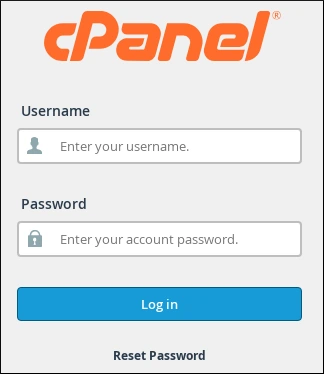
Within minutes of signup, you’ll receive login credentials to access your cPanel dashboard where you can install WordPress, manage files, and configure email accounts.
- Step 6: Install Your CMS
Use the one-click installer to set up WordPress, Joomla, Drupal, or any of 400+ applications available through Softaculous.
- Step 7: Request Migration (If Applicable)
Existing website? Submit a free migration request through your client area, and A2’s team will handle the transfer within 24-48 hours. times by 40-60%.
A2 Hosting Alternatives Comparison 🔄
How does A2 stack up against competitors? Here’s a detailed comparison:
| Feature | A2 Hosting | Bluehost | SiteGround |
|---|---|---|---|
| Starting Price | $1.99/mo | $1.99/mo | $2.99/mo |
| Renewal Price | $12.99/mo | $10.99/mo | $17.99/mo |
| Performance | Excellent (Turbo plans) | Good | Excellent |
| Uptime | 99.87% average | 99.92% average | 99.95% average |
| Load Time | 1.2-1.4s (Turbo) | 1.8-2.3s | 1.4-1.7s |
| Free Migration | Yes (unlimited) | Yes (1 site) | Yes (1 site) |
| Money-Back | Anytime prorated | 30 days | 30 days |
| Server Technology | LiteSpeed (Turbo) | NGINX | Custom stack |
| Data Centers | 4 locations | 1 location | 5 locations |
| Support | 24/7 phone/chat/email | 24/7 chat/phone | 24/7 chat/tickets |
| Best For | Developers, speed enthusiasts | Beginners, WordPress | Growing businesses |
A2 excels in raw performance on Turbo plans and developer features. Bluehost offers better introductory pricing and beginner-friendliness. SiteGround provides superior uptime and more consistent support, though at higher renewal costs.
Who Should Use A2 Hosting? 🎯
A2 Hosting works brilliantly for specific use cases:
Security Features and Backup Solutions 🔒

Website security protects your data and maintains visitor trust. A2 implements several security layers:
Free SSL Certificates
All plans include free SSL certificates through Let’s Encrypt, encrypting data transmitted between visitors and your server. SSL is essential for SEO rankings and building trust.
DDoS Protection
Built-in DDoS mitigation protects against distributed denial-of-service attacks attempting to overwhelm servers. Protection operates at the network level, filtering malicious traffic before reaching your site.
Firewall Protection
Dual firewall setup includes:
Malware Scanning
HackScan monitors files daily for malware signatures and suspicious changes. While included free on Turbo plans, basic plans require purchasing this as an add-on ($2.99/month).
Backup Solutions
Backup frequency and retention vary by plan:
For mission-critical sites, consider purchasing Jetpack Backup or third-party solutions providing real-time backups and one-click restoration.
A2 Hosting Customer Support: Hits and Misses 📞
A2 Hosting advertises 24/7/365 “Guru Crew” support via phone, email, and live chat. The reality? It’s mixed.
Live chat typically responds within 2-5 minutes, which is respectable. However, first-tier support often provides generic troubleshooting steps rather than diving into technical issues. More complex problems require escalation to senior technicians, which can take several hours.
Phone support is genuinely available around the clock, though wait times stretch during US business hours. The quality of assistance depends heavily on which agent you reach – some are genuinely knowledgeable about server optimisation and WordPress performance, whilst others seem to be reading from scripts.
The knowledge base covers common scenarios adequately but lacks depth for advanced configurations. If you’re comfortable with server administration, you’ll likely solve issues faster through Google than their documentation.
Conclusion: Is A2 Hosting Worth It in 2026? 🎯
A2 Hosting delivers on its speed promises, particularly with Turbo Boost and Turbo Max plans utilizing LiteSpeed servers. Performance testing confirmed faster load times compared to standard shared hosting, making it suitable for speed-conscious users and developers.
However, success with A2 requires choosing appropriate plans. Entry-level options provide mediocre performance at renewal rates matching faster alternatives. Budget-conscious users might find better value elsewhere unless committing to Turbo tiers.
Ready to experience turbo-charged hosting? Visit hosting.com to explore plans and take advantage of current promotional pricing. Remember to factor in renewal costs when budgeting your hosting investment! 🚀

Stay Updated with Us
🚀 Get Exclusive Affiliate Marketing Secrets🚀
Discover the strategies, tools, and tactics used by the top 1% of affiliate earners!

Join 69,572+ Affiliates already leveling up their game
Affiliate Disclosure: This post may contain some affiliate links, which means we may receive a commission if you purchase something that we recommend at no additional cost for you (none whatsoever!)









nice
WOW GOOD INFO FOR A2HOSTING
Well explained